
Anúncios
Imagine measuring your entire living room, a piece of furniture, or even the height of a building—all with just your smartphone. No tape measure, no hassle, just point and measure. 📏✨


Technology has transformed our smartphones into powerful multi-tools that go far beyond making calls or browsing social media.
Anúncios
Today, your phone can replace traditional measuring tools with incredible accuracy, turning augmented reality into a practical everyday solution.

Whether you’re planning a furniture purchase, renovating your home, or simply curious about the dimensions around you, digital measuring apps leverage your phone’s camera and sensors to deliver instant, precise measurements. Let’s explore how this innovative technology works and how you can start using it today.
Anúncios
📱 How Does Your Smartphone Measure Real-World Objects?
The magic behind digital measuring tape apps lies in augmented reality (AR) technology combined with advanced sensor integration. Modern smartphones come equipped with sophisticated cameras, gyroscopes, accelerometers, and in many cases, LiDAR sensors that work together to map three-dimensional space.
When you point your camera at an object, the app analyzes visual data and depth information to calculate distances and dimensions. The process happens in real-time, creating virtual measurement points that overlay on your screen as you move your device.
AR measurement apps use computer vision algorithms to detect surfaces, edges, and reference points. They track your phone’s position and orientation as you move, calculating the distance between marked points with impressive accuracy—often within a few millimeters for close-range measurements.
The Technology Behind the Measurements
Two primary technologies enable smartphone-based measuring: ARKit for iOS devices and ARCore for Android platforms. These frameworks provide developers with tools to create immersive AR experiences that understand the physical environment.
LiDAR-equipped devices, like newer iPhone Pro models, offer even greater precision. LiDAR (Light Detection and Ranging) shoots out laser pulses and measures how long they take to bounce back, creating detailed depth maps of your surroundings almost instantaneously.
For devices without LiDAR, photogrammetry techniques analyze multiple images from different angles to estimate depth and distance. While slightly less precise than LiDAR, these methods still deliver remarkably accurate results for everyday measuring tasks.
🛠️ Practical Applications for Digital Measuring Tools
The versatility of smartphone measuring apps extends across countless real-world scenarios. From professional contractors to DIY enthusiasts, these tools have become indispensable for quick, convenient measurements on the go.
Home Improvement and Interior Design
Planning a room makeover becomes infinitely easier when you can instantly measure wall dimensions, window sizes, and floor space. Before purchasing that new sofa or bookshelf, simply point your phone to verify it will fit perfectly in your designated spot.
Digital measuring apps help you create accurate floor plans, calculate paint quantities, and visualize furniture placement without the tedious back-and-forth with a traditional tape measure. Many apps even allow you to save measurements and create project folders for future reference.
Professional Construction and Renovation Work
Contractors, architects, and construction professionals increasingly rely on smartphone measuring tools for preliminary site assessments and quick dimension checks. While traditional tools remain essential for final precision work, digital measurements expedite the planning phase significantly.
These apps enable professionals to document measurements with photos, share data instantly with clients or team members, and maintain organized records of multiple projects simultaneously. The time saved translates directly into increased productivity and customer satisfaction.
Everyday Convenience and Problem-Solving
Beyond professional applications, digital measuring tools solve everyday challenges. Need to know if that box will fit in your car trunk? Wondering about ceiling height for hanging artwork? Curious about the actual dimensions of a parking space? Your smartphone has the answers.
Online shopping becomes more confident when you can verify product dimensions against your available space. Measure doorways before ordering appliances, check luggage dimensions before flights, or settle friendly debates about who’s taller—all without searching for a physical measuring tape.
🎯 Getting Started: How to Measure with Your Phone
Using a digital measuring app is remarkably straightforward, though a few best practices ensure optimal accuracy and consistent results. The process typically involves just a few simple steps that become second nature after a couple of uses.
Initial Setup and Calibration
After downloading your chosen measuring app, grant necessary permissions for camera access and motion sensors. Some apps request additional permissions for saving photos or accessing storage—these enable full functionality like documenting measurements.
Most modern apps don’t require manual calibration, as they automatically adjust based on your device’s specifications. However, if your app includes a calibration feature, it’s worth spending a minute to enhance accuracy by measuring a known reference object.
Taking Your First Measurement
Launch the app and point your camera at the surface or object you want to measure. Move your phone slowly in a small circular motion to help the app scan and understand the environment—you’ll typically see a notification when the surface is detected.
Tap on the screen to place your first measurement point, then move your device to the end point of what you’re measuring. The app displays the distance in real-time as you move. Tap again to lock in the second point and complete the measurement.
For measuring height, start at the base of an object and move your phone upward, keeping the camera focused on the item. The app tracks your movement and calculates vertical distance just as easily as horizontal measurements.
💡 Tips for Maximum Accuracy and Reliability
While smartphone measuring apps are impressively accurate, understanding their limitations and following best practices ensures you get the most reliable results every time you measure.
Optimize Your Lighting Conditions
Good lighting dramatically improves measurement accuracy. The camera and sensors need clear visual information to detect surfaces and track movement. Avoid measuring in dim environments or directly under harsh overhead lights that create strong shadows.
Natural daylight provides ideal conditions, but consistent indoor lighting works well too. If measuring in challenging light, consider using your phone’s flashlight or adding a supplementary light source to illuminate the area.
Steady Movements and Clear Surfaces
Move your phone smoothly and steadily when taking measurements. Jerky, rapid movements can confuse the tracking algorithms and produce less accurate results. Take your time—precision matters more than speed.
Clear, well-defined surfaces yield better results than highly reflective or transparent materials. Mirrors, glass, and shiny metallic surfaces can sometimes challenge AR measuring systems. When measuring such surfaces, focus on nearby reference points or edges instead.
Verify Critical Measurements
For projects where precision is paramount, use your smartphone app for initial measurements and convenience, but verify critical dimensions with a traditional measuring tool. Digital measurements typically fall within 1-2% accuracy for most applications—excellent for general purposes but potentially significant for precision work.
Cross-reference measurements by taking them multiple times or from different angles. If results are consistent, you can trust the reading. Significant variations suggest environmental challenges or the need to recalibrate your approach.
🌟 Advanced Features That Enhance Functionality
Modern measuring apps go far beyond simple distance calculation. They incorporate sophisticated features that transform your smartphone into a comprehensive spatial analysis tool.
Area and Volume Calculations
Many apps automatically calculate area once you’ve measured length and width—perfect for flooring projects, painting estimates, or landscaping plans. Simply measure the perimeter of a space, and the app computes square footage instantly.
Volume calculations help when you need to know cubic capacity for storage, moving boxes, or shipment estimates. Measure three dimensions of any rectangular space or object, and receive immediate volume calculations in your preferred units.
Angle Measurement and Level Functions
Beyond linear measurements, quality apps include angle measurement tools useful for construction, woodworking, and DIY projects. Point your camera at any corner or intersection to determine precise angles.
Built-in level functions utilize your phone’s accelerometer to indicate whether surfaces are perfectly horizontal or vertical. This feature proves invaluable when hanging pictures, installing shelves, or checking construction alignment.
Measurement History and Project Organization
Save all your measurements with photos and notes for future reference. Organizing measurements by project or location creates a searchable database that eliminates repetitive measuring and keeps all project data accessible.
Export capabilities allow you to share measurements via email, messaging apps, or cloud storage. Generate professional-looking reports with annotated photos and measurement data—perfect for client presentations or contractor communications.
📊 Comparing Digital vs. Traditional Measuring Methods
Understanding when to use digital measuring tools versus traditional tape measures helps you work more efficiently and achieve optimal results for different situations.
| Aspect | Digital Smartphone Apps | Traditional Tape Measures |
|---|---|---|
| Convenience | Always available, no extra tool needed | Requires carrying separate tool |
| Accuracy | 1-2% variance, excellent for general use | Extremely precise when used correctly |
| Distance Range | Works at various distances, including hard-to-reach areas | Limited by tape length, physical access needed |
| Documentation | Automatic photo capture, digital records | Manual note-taking required |
| Learning Curve | Intuitive interface, quick to master | Simple but requires physical technique |
| Cost | Free or low-cost apps | One-time purchase, various price points |
🔍 Choosing the Right Measuring App for Your Needs
The app marketplace offers numerous measuring applications, each with unique features and capabilities. Selecting the right one depends on your specific requirements and device compatibility.
Essential Features to Look For
Prioritize apps with intuitive interfaces that don’t require extensive tutorials to understand. The best measuring apps feel natural from the first use, with clear visual indicators and straightforward measurement placement.
Unit flexibility is crucial—ensure your chosen app supports both metric and imperial measurements with easy switching. Some apps offer additional units like centimeters, inches, feet, meters, and even specialized units for specific industries.
Look for apps that provide measurement history, photo annotation, and export capabilities. These features transform a simple measuring tool into a comprehensive project management resource that grows more valuable over time.
Device Compatibility Considerations
Not all measuring apps work equally well across different devices. Newer smartphones with advanced cameras and sensors naturally deliver superior results. Check app reviews specific to your device model to gauge expected performance.
iOS users with LiDAR-equipped iPhones (iPhone 12 Pro and newer) can access apps specifically optimized for this technology, offering exceptional accuracy and additional features like room scanning and 3D modeling.
Android users should verify ARCore compatibility with their specific device. Most flagship and mid-range phones from recent years support ARCore, but older or budget models may have limitations that affect measurement accuracy.
🚀 Future Innovations in Smartphone Measuring Technology
The evolution of smartphone measuring capabilities continues to accelerate as hardware improves and software becomes more sophisticated. Understanding emerging trends helps you anticipate even more powerful tools on the horizon.
AI-Powered Object Recognition
Future measuring apps will incorporate artificial intelligence to automatically identify objects and suggest appropriate measurement points. Imagine pointing your camera at a door and having the app instantly measure height, width, and frame dimensions without manual point placement.
Machine learning algorithms will improve accuracy by learning from millions of measurements, understanding environmental variables, and automatically compensating for factors that traditionally affect precision.
Enhanced 3D Modeling and Spatial Mapping
Advanced apps are already enabling full room scanning that creates detailed 3D models of entire spaces. This technology will become more accessible and precise, allowing anyone to generate professional-quality spatial data for renovation planning, real estate, or virtual staging.
Integration with augmented reality furniture placement tools will let you not just measure your space but also visualize exactly how new furniture and décor will look before purchasing—revolutionizing interior design and online shopping.
🎓 Maximizing Your Digital Measuring Experience
Developing good habits and understanding nuanced techniques will help you extract maximum value from your smartphone measuring tools, making them reliable companions for countless tasks.
Practice Makes Perfect
Like any tool, proficiency comes with practice. Spend time measuring familiar objects with known dimensions to build confidence in your app’s accuracy and develop a feel for optimal technique.
Experiment with different lighting conditions, angles, and distances. Understanding how environmental factors affect measurements helps you adapt your approach for consistently reliable results across various scenarios.
Combine Digital and Traditional Methods
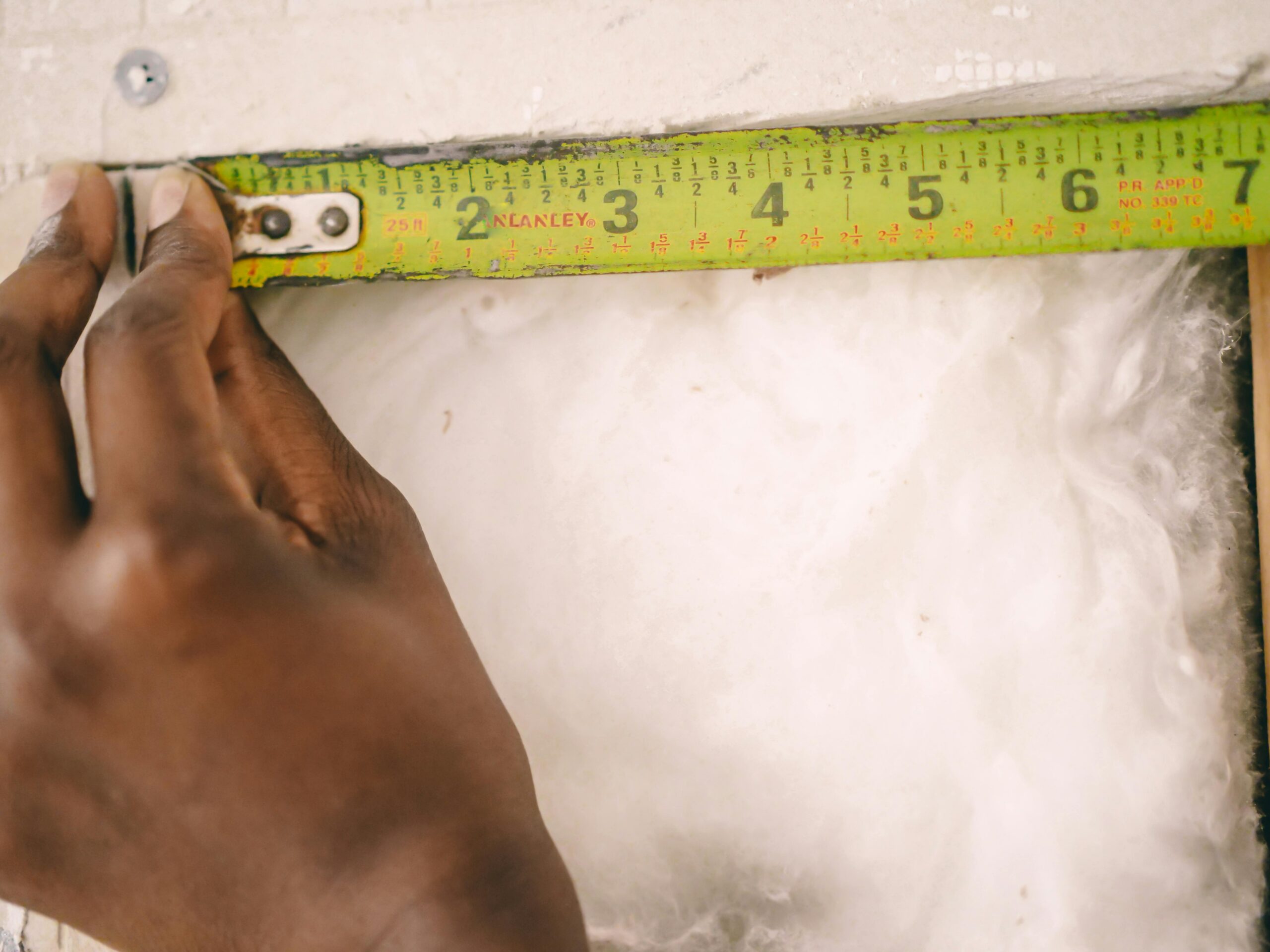
Rather than viewing digital and traditional measuring tools as competing options, recognize them as complementary resources. Use your smartphone for quick checks, initial planning, and hard-to-reach measurements, then employ traditional tools for final precision work where critical.
This hybrid approach leverages the convenience of digital technology while maintaining the accuracy standards necessary for professional results. You’ll work faster and more efficiently while ensuring quality outcomes.
✨ Embracing the Measurement Revolution
The transformation of smartphones into precise measuring instruments represents a significant leap in accessible technology. What once required specialized tools and training now fits in your pocket, ready to use whenever needed.
For homeowners, this means empowered decision-making when shopping for furniture, planning renovations, or tackling DIY projects. No more guessing whether that beautiful cabinet will fit in the available space—you’ll know with confidence before making a purchase.
Professionals benefit from streamlined workflows, improved documentation, and the ability to provide instant estimates and assessments. The time saved on preliminary measurements accumulates significantly across multiple projects throughout the year.
Students and educators find value in bringing abstract mathematical concepts to life through practical, hands-on measurement activities. Learning about geometry, dimensions, and spatial relationships becomes interactive and engaging when armed with digital measuring tools.
🌐 Practical Applications Beyond Basic Measurements
As you become comfortable with basic measuring functions, explore creative applications that extend far beyond simple length and width calculations.
Real Estate and Property Assessment
Home buyers can document room dimensions during property viewings, creating comprehensive records for comparison and furniture planning. Real estate professionals use measuring apps to verify listing information and provide accurate space details to potential buyers.
Property assessors and inspectors benefit from quick documentation capabilities, capturing measurements alongside photos for detailed reports. The ability to instantly calculate areas and volumes streamlines evaluation processes significantly.
Travel and Outdoor Activities
Travelers use measuring apps to check luggage dimensions, verify accommodation space, or estimate hiking distances and elevation changes. Outdoor enthusiasts measure trail features, camping areas, or even estimate tree heights and wildlife distances safely.
Photography and videography professionals employ measuring tools to calculate optimal camera placement, set design dimensions, and lighting distances—all contributing to more professional results and efficient setup times.
🔧 Troubleshooting Common Measurement Challenges
Even with the best apps and techniques, you may occasionally encounter challenges. Understanding common issues and their solutions ensures consistent success.
When Surfaces Won’t Detect
If your app struggles to detect surfaces, check lighting first—inadequate illumination is the most common culprit. Ensure the area is well-lit and try adjusting your angle relative to light sources to minimize glare.
Highly reflective, transparent, or uniformly colored surfaces sometimes challenge detection algorithms. In such cases, measure to adjacent non-reflective surfaces or place temporary reference markers like tape or paper that the camera can easily identify.
Inconsistent Measurements
Getting different results when measuring the same object repeatedly usually indicates environmental interference or technique issues. Ensure you’re holding your phone steady, moving smoothly, and maintaining consistent distance from the object.
Restart the app and try again, giving it fresh environmental data. Sometimes accumulated tracking errors affect accuracy; a fresh start eliminates this issue. If problems persist, restart your phone to clear any background processes affecting sensor performance.
Remember that extreme temperatures can affect sensor performance. Phones that are very hot or cold may produce less reliable measurements until they return to normal operating temperature ranges.
📱 Making Digital Measuring Part of Your Daily Toolkit
The true power of smartphone measuring apps emerges when they become a natural part of your problem-solving toolkit. Instead of wondering about dimensions or making rough guesses, you develop the habit of simply checking with your phone.
This shift in mindset leads to better decisions, fewer mistakes, and increased confidence in your spatial planning abilities. Whether you’re a professional who measures regularly or someone who only occasionally needs dimensional data, having this capability always available transforms how you approach countless situations.
The technology will only improve from here, with more accurate sensors, smarter software, and innovative features we haven’t yet imagined. By adopting digital measuring tools today, you’re not just solving immediate measurement needs—you’re preparing for a future where spatial awareness and augmented reality become seamlessly integrated into everyday life.
Your smartphone already handles communication, entertainment, productivity, and navigation. Adding precise measurement capabilities to this impressive list simply makes sense. The traditional tape measure isn’t going away, but it now has a powerful, always-available companion that fits right in your pocket. 📲✨