
Anúncios
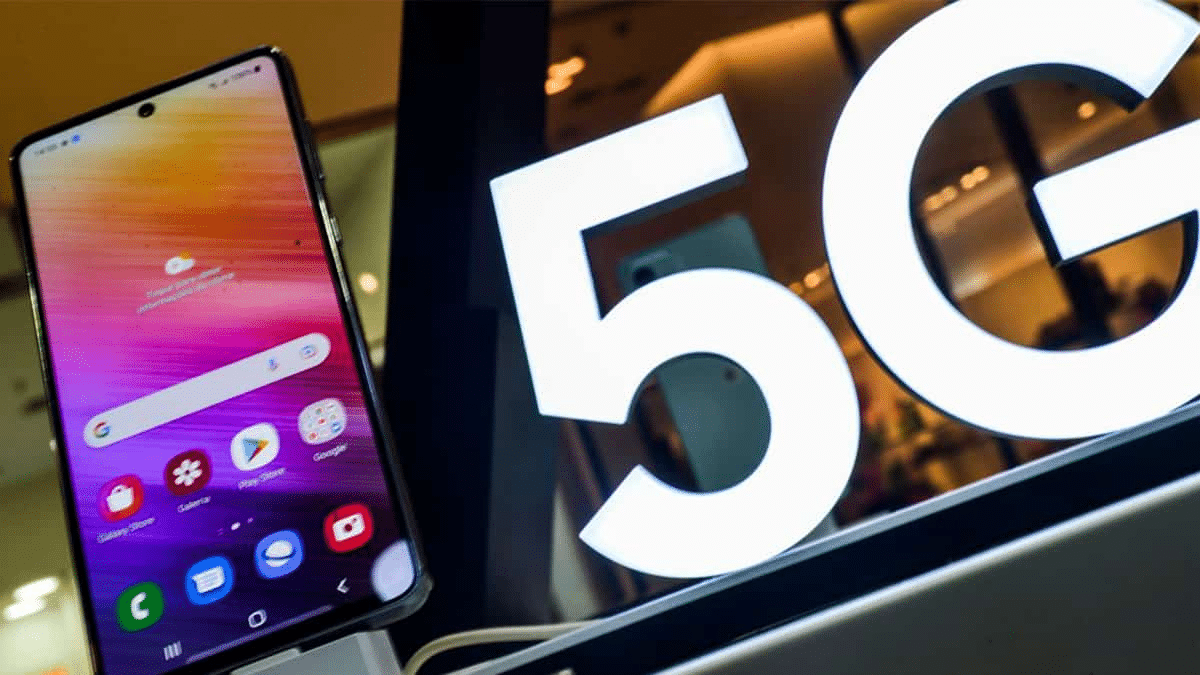
5G technology is transforming how we connect, stream, and communicate. Activating it on your smartphone unlocks faster speeds, lower latency, and a superior mobile experience worth exploring.


The rollout of 5G networks worldwide has been one of the most anticipated technological advancements in recent years. With promises of lightning-fast download speeds, seamless streaming, and near-instantaneous response times, it’s no wonder that millions of users are eager to switch on this next-generation connectivity. However, simply owning a 5G-capable device doesn’t automatically mean you’re experiencing the full benefits of this revolutionary network.
Anúncios
Understanding how to properly activate and optimize 5G on your mobile phone is essential to unlocking its true potential. Whether you’re an Android enthusiast or an iPhone devotee, the process involves more than just flipping a switch. From checking device compatibility to adjusting network settings and choosing the right data plan, there are several steps to ensure you’re getting the most out of your 5G connection. Let’s dive into everything you need to know about activating 5G on your smartphone. 📱
Understanding 5G Technology and Its Benefits ⚡
Before jumping into activation steps, it’s worth understanding what makes 5G special. This fifth-generation wireless technology represents a massive leap forward from 4G LTE, offering theoretical download speeds up to 100 times faster. In practical terms, this means downloading a full HD movie in seconds rather than minutes, enjoying buffer-free 4K video streaming, and experiencing virtually no lag during video calls or online gaming sessions.
Anúncios
Beyond speed, 5G brings significantly reduced latency—the delay between sending and receiving data. While 4G networks typically have latency around 50 milliseconds, 5G can achieve latency as low as 1 millisecond. This improvement is crucial for real-time applications like augmented reality, cloud gaming, and even future technologies like remote surgery and autonomous vehicles.
The network also handles more connected devices simultaneously, making it ideal for crowded areas like stadiums, concerts, or busy urban centers where 4G networks often become congested. Understanding these benefits helps you appreciate why proper activation matters so much.
Checking If Your Phone Supports 5G 🔍
Not all smartphones can access 5G networks. The first critical step is verifying whether your device has the necessary hardware. Most flagship phones released from 2020 onwards include 5G compatibility, but mid-range and budget devices vary significantly depending on manufacturer and region.
To check if your phone supports 5G, you can look up your device specifications on the manufacturer’s website or check the original packaging. Alternatively, navigate to your phone’s settings menu. On Android devices, go to Settings > About Phone > Network or Mobile Network. On iPhones running iOS 14 or later, go to Settings > Cellular > Cellular Data Options. If you see a 5G toggle or menu option, your device supports the technology.
Keep in mind that some devices support different types of 5G networks. Sub-6 GHz 5G offers broader coverage but more modest speed improvements, while mmWave (millimeter wave) 5G delivers blazing speeds but with limited range and availability. Many phones support both, but some budget 5G devices only work with sub-6 GHz frequencies.
Verifying 5G Network Availability in Your Area 🌍
Even with a 5G-capable phone, you won’t benefit from the technology if your carrier hasn’t deployed 5G infrastructure in your location. Network coverage varies dramatically by country, city, and even neighborhood. Major urban centers typically have the most robust 5G coverage, while rural areas may still rely primarily on 4G networks.
Most mobile carriers provide online coverage maps showing where their 5G networks are active. Visit your carrier’s website and look for their coverage checker tool. Simply enter your address or zip code to see whether 5G service is available at your home, workplace, and other frequent locations.
It’s also worth noting that 5G coverage can be spotty even in areas listed as having service. Buildings, weather conditions, and network congestion can all affect signal strength. Don’t be surprised if your phone occasionally switches back to 4G when 5G signals weaken—this is normal behavior designed to maintain your connection.
Confirming Your Data Plan Includes 5G Access 💳
Having a 5G phone and living in a covered area isn’t always enough. Some mobile carriers require specific data plans that include 5G access. Older plans or basic packages might not automatically grant 5G connectivity, even if your device and location support it.
Contact your carrier’s customer service or check your account details through their mobile app or website. Look for information about 5G inclusion in your current plan. If your plan doesn’t include 5G, you may need to upgrade to a newer package. The good news is that many carriers now include 5G access at no additional cost with their standard unlimited plans.

Be aware that some carriers offer different tiers of 5G service. For example, they might provide standard 5G with most plans but reserve access to the fastest mmWave 5G for premium subscribers. Understanding your plan’s specifics helps set realistic expectations for your 5G experience.
Activating 5G on iPhone Devices 🍎
For iPhone users with models from the iPhone 12 series onwards, activating 5G is straightforward but offers multiple options to balance speed and battery life. Apple has designed the interface to give users control over how aggressively their device seeks 5G connections.
Start by opening the Settings app, then tap Cellular (or Mobile Data in some regions). Select Cellular Data Options, then tap Voice & Data. Here you’ll see several options:
- 5G Auto: This intelligent mode uses 5G when it won’t significantly impact battery life, automatically switching to 4G when appropriate. This is the default setting and works well for most users.
- 5G On: This forces your iPhone to always use 5G when available, maximizing speeds but potentially draining battery faster.
- LTE: This disables 5G entirely, keeping your phone on 4G networks. Useful if you’re experiencing connection issues or want to conserve battery.
There’s also a Data Mode option in the same menu. Setting this to “Allow More Data on 5G” enables higher-quality video streaming and FaceTime calls when connected to 5G networks, taking full advantage of the increased bandwidth.
After selecting your preferred 5G option, exit settings. Your iPhone will immediately begin searching for available 5G networks. When connected, you’ll see “5G,” “5G+,” “5G UW,” or similar indicators in the status bar at the top of your screen, depending on your carrier’s terminology.
Activating 5G on Android Smartphones 🤖
Android devices offer similar 5G activation processes, though the exact steps vary slightly between manufacturers like Samsung, Google, OnePlus, Xiaomi, and others. The general approach remains consistent across most Android phones.
Open your phone’s Settings app and navigate to Network & Internet or Connections (the exact wording depends on your device). Tap on Mobile Network or SIM Cards if you have a dual-SIM device. Look for an option labeled Preferred Network Type, Network Mode, or something similar.
Tap this option and you’ll see a list of network types. Select the option that includes 5G, typically labeled as:
- 5G/4G/3G/2G (auto connect)
- 5G/LTE/3G/2G
- NR/LTE/GSM (NR stands for New Radio, the technical term for 5G)
Some Android phones, particularly Samsung devices, offer additional 5G-specific settings. Samsung users might see options for “5G Network Mode” with choices between “5G/4G/3G/2G” or “4G/3G/2G” only. OnePlus devices sometimes include a dedicated “5G” toggle switch in the SIM & Network settings.
After selecting your preferred network mode, exit settings. Your Android device will search for available 5G networks and connect automatically when found. The 5G icon will appear in your status bar, often accompanied by additional indicators like “5G+” or “5G UC” depending on your carrier and the specific 5G technology being used.
Troubleshooting Common 5G Activation Issues 🔧
Despite following all the proper steps, you might encounter situations where 5G doesn’t activate or perform as expected. Several common issues can prevent proper 5G connectivity, and fortunately, most have simple solutions.
No 5G option in settings: If you don’t see any 5G-related options in your network settings, first confirm your device actually supports 5G. Check the manufacturer’s specifications carefully. Also verify that your device software is up to date, as some phones required software updates to enable 5G functionality even though the hardware was present.
5G icon appears but internet is slow: This often happens when you’re at the edge of 5G coverage. Your phone detects a weak 5G signal and connects to it, but the actual performance is poor. Try switching to “5G Auto” mode on iPhone or manually selecting 4G temporarily on Android to see if speeds improve.
Frequent switching between 5G and 4G: This is normal in areas with developing 5G infrastructure. Your phone automatically connects to the strongest available network. If this becomes disruptive, consider using the automatic modes that balance connection quality with network generation.
Battery draining quickly after enabling 5G: 5G radios consume more power than 4G, especially when signals are weak. Use intelligent modes like “5G Auto” on iPhone or enable battery optimization features on Android. Some devices offer battery saver modes that automatically disable 5G to extend battery life.
Optimizing Your 5G Experience for Maximum Performance 🚀
Once you’ve successfully activated 5G, several strategies can help you maximize the benefits and minimize potential drawbacks. These optimization techniques ensure you’re getting the best possible experience from your next-generation connection.
First, keep your device’s operating system and carrier settings updated. Manufacturers and carriers regularly release updates that improve 5G performance, connectivity stability, and battery efficiency. Enable automatic updates or check manually at least once monthly to ensure you’re running the latest software.
Second, understand when to use which network mode. If you’re in a stationary location with strong 5G coverage—like your home or office—keeping 5G always on makes sense. But when traveling or moving around areas with variable coverage, automatic modes that intelligently switch between networks offer better overall performance and battery life.
Third, take advantage of 5G-optimized apps and services. Streaming platforms, cloud gaming services, and video calling apps increasingly offer enhanced modes designed specifically for 5G connections. These features deliver higher quality experiences but require the faster speeds and lower latency that 5G provides.
Fourth, consider your data usage carefully. 5G’s incredible speeds make it easy to burn through data allowances quickly. Downloading large files, streaming 4K video, and gaming can consume gigabytes in minutes rather than hours. Monitor your data usage through your phone’s settings or your carrier’s app, and adjust quality settings for streaming services when appropriate.
Understanding Different Types of 5G Networks 📡
Not all 5G is created equal, and understanding the different types helps set realistic expectations for your connection speeds and coverage. Carriers deploy three main types of 5G, each with distinct characteristics and trade-offs.
Low-band 5G uses frequencies similar to 4G LTE, typically below 1 GHz. This provides the widest coverage and best building penetration but offers the most modest speed improvements—often just 20-50% faster than good 4G connections. Many carriers use low-band 5G as their foundation layer, providing broad coverage across entire cities and regions.
Mid-band 5G operates in the 1-6 GHz range, striking a balance between coverage and speed. Often called “C-band” in the United States, this spectrum delivers significantly faster speeds than 4G—typically 200-500 Mbps—while still providing reasonable coverage across neighborhoods and urban areas. This represents the sweet spot for most users, offering noticeable improvements without extreme limitations.
High-band 5G (mmWave) uses frequencies above 24 GHz to deliver the mind-blowing speeds often advertised for 5G—sometimes exceeding 1-2 Gbps. However, these signals travel only short distances and struggle to penetrate walls or even windows. mmWave typically appears only in very specific locations like stadiums, airports, or downtown business districts.
Your phone might display different indicators for these network types. Some carriers use “5G+,” “5G UW,” or “5G UC” to distinguish their faster mid-band and mmWave networks from standard low-band 5G connections.
Managing Battery Life While Using 5G 🔋
One of the most common concerns about 5G is its impact on battery life. The technology does consume more power than 4G, but modern smartphones and software optimizations have significantly reduced this drain compared to early 5G devices.
Several factors influence how much 5G affects your battery. Weak 5G signals force your phone to boost radio power to maintain connections, draining battery faster. Constantly searching for 5G in areas with spotty coverage also increases power consumption. Intensive activities like streaming high-definition video or gaming naturally use more battery on any network, but 5G’s capabilities make it easier to engage in these power-hungry activities.
To optimize battery life while enjoying 5G, consider these strategies. Use intelligent automatic modes that balance 5G usage with battery concerns. Disable 5G when you don’t need maximum speeds, such as when listening to music or browsing text-heavy websites. Keep your phone charged above 20% when possible, as low battery levels force devices to work harder to maintain connections.
Enable your phone’s battery saver or low power mode when needed. Most devices automatically disable 5G or limit background activities in these modes, extending battery life significantly. Close unnecessary apps running in the background, as these can consume data and battery even when you’re not actively using them.
Security and Privacy Considerations with 5G Networks 🔒
While 5G brings tremendous benefits, it’s important to consider security and privacy implications. Like any wireless technology, 5G networks face potential vulnerabilities, though the technology includes several security improvements over previous generations.
5G implements stronger encryption standards and better protection against certain types of attacks that affected 4G networks. However, the increased number of connected devices and the complexity of 5G infrastructure create new potential entry points for security threats.
To protect yourself while using 5G, follow standard mobile security practices. Use a VPN when connecting to sensitive accounts or transmitting private information, especially on public networks. Keep your device’s security software updated and avoid clicking suspicious links or downloading apps from untrusted sources.
Be mindful of the apps you grant network permissions. Some apps might take advantage of 5G’s fast speeds to transmit more data than necessary. Review app permissions regularly and revoke access for apps that don’t need constant network connectivity.
Consider disabling 5G when you don’t need it, not just for battery savings but also to reduce your device’s exposure to network-based threats. While the risk is relatively low, minimizing connectivity when you’re not actively using internet services adds an extra layer of security.
Future-Proofing Your Mobile Experience with 5G 🌟
Activating 5G today positions you for the exciting developments coming to mobile technology in the near future. As networks mature and coverage expands, the possibilities for new services and applications will continue to grow exponentially.
We’re already seeing early adopters enjoy cloud gaming services that stream console-quality games directly to smartphones with minimal lag. Augmented reality applications are becoming more sophisticated, overlaying digital information on the real world in real-time. Video calling is approaching in-person quality with crystal-clear resolution and no awkward delays.
Looking ahead, 5G will enable innovations we’re only beginning to imagine. Smart city infrastructure will communicate instantly with your device, providing real-time traffic updates, parking availability, and personalized recommendations. Telemedicine will expand dramatically as doctors perform remote consultations with diagnostic-quality video and even guide procedures in real-time.
Your 5G smartphone will become an even more central hub for controlling Internet of Things devices in your home, car, and workplace. The instant responsiveness of 5G networks makes it practical to control complex systems remotely without frustrating delays.
By activating and familiarizing yourself with 5G now, you’re not just getting faster downloads—you’re preparing to participate in the next wave of digital transformation. As the technology matures and new applications emerge, you’ll be ready to take full advantage of everything this revolutionary network has to offer.
Making the Most of Your 5G Connection Today ✨
Activating 5G on your mobile phone is just the beginning of an enhanced mobile experience. By following the steps outlined for your specific device, checking coverage availability, confirming your data plan includes 5G access, and understanding how to optimize settings for your needs, you’re well-equipped to enjoy everything this technology offers.
Remember that 5G is still evolving. Coverage continues expanding, speeds keep improving, and new applications are constantly being developed. Stay informed about updates from your carrier and device manufacturer, and don’t hesitate to experiment with different settings to find what works best for your usage patterns and priorities.
Whether you prioritize blazing-fast downloads, seamless video streaming, responsive online gaming, or simply future-proofing your mobile experience, properly activated and optimized 5G connectivity transforms how you interact with the digital world. Take the time to set it up correctly, and you’ll wonder how you ever managed with slower connections. Welcome to the 5G era! 🎉
