
Anúncios
Listening to live AM/FM radio on your smartphone is easier than you think, offering free access to local stations, news, sports, and music without internet data.


In an era dominated by streaming services and podcasts, traditional AM/FM radio remains a valuable resource for millions of people worldwide. Whether you’re commuting to work, experiencing an emergency, or simply want to catch your favorite local talk show, having radio access on your phone provides convenience and reliability.
Anúncios
The good news is that most modern smartphones have built-in FM radio chips, though many manufacturers keep this feature disabled. Additionally, numerous apps can stream both AM and FM stations over the internet. Let’s explore all the ways you can enjoy live radio broadcasts on your mobile device, from unlocking hidden hardware features to choosing the best radio apps available today.
Understanding FM Radio Hardware in Smartphones 📱
Many people don’t realize that their smartphones already contain FM radio receivers. These chips are integrated into the same component that handles Wi-Fi and Bluetooth connectivity. Manufacturers like Qualcomm and MediaTek routinely include FM radio capability in their processors, meaning the hardware is physically present in your device.
Anúncios
However, there’s a catch. While the chip exists, it needs to be activated by the phone manufacturer through software support. Apple, for example, has never enabled FM radio on iPhones, despite some models containing capable chips. Android manufacturers vary in their approach—some brands like Samsung, LG, and Motorola have enabled FM radio on select models, while others haven’t.
The FM chip requires a wired headphone connection to function as an antenna. This is why the feature became less common as manufacturers removed headphone jacks from their devices. If your phone has a headphone jack and runs Android, there’s a good chance you can access FM radio with the right app.
Checking If Your Phone Has FM Radio Capability 🔍
Before downloading apps or trying workarounds, determine whether your specific device supports FM radio. Start by checking your phone’s pre-installed apps. Look for applications named “FM Radio,” “Radio,” or similar. Some manufacturers include these apps by default on compatible devices.
If you don’t find a native radio app, search online for your phone model followed by “FM radio support.” Forums, manufacturer specifications, and tech websites often document which devices have this feature enabled. Websites like NextRadio (now discontinued but archived) maintained comprehensive lists of compatible devices.
For Android users, you can also check your phone’s specifications in the settings menu or on the manufacturer’s website. Look for mentions of FM radio, FM tuner, or FM receiver in the connectivity features section.
Using Native FM Radio Apps on Android 📲
If your Android device supports FM radio, using it is straightforward. First, plug in wired headphones or earbuds—this is non-negotiable as they serve as the antenna. Without them, the FM receiver cannot pick up broadcast signals properly.
Open your phone’s built-in FM radio app. You’ll typically see a frequency dial or list of available stations. The app will scan for local broadcasts and allow you to tune into different frequencies. Most native apps include features like station presets, sleep timers, and recording capabilities.
The major advantage of using hardware FM radio is that it doesn’t consume mobile data. You’re receiving broadcast signals directly, just like a traditional radio. This makes it perfect for emergencies when cell networks might be overloaded or unavailable. Battery consumption is also minimal compared to streaming alternatives.
Some popular native FM radio apps that unlock this feature include NextRadio (legacy), Spirit FM, and manufacturer-specific apps. These applications interface with your phone’s FM chip to provide a traditional radio listening experience enhanced with modern conveniences like song identification and station information.
Best Radio Apps for Streaming AM/FM Content 🎧
If your phone doesn’t have FM hardware support, or you want access to stations beyond your local area, streaming apps are your best solution. These applications use your internet connection to broadcast live radio from around the world, including both AM and FM frequencies.

Simple Radio stands out as one of the most comprehensive free radio apps available. It provides access to over 50,000 AM and FM stations worldwide, organized by location, genre, and popularity. The interface is clean and intuitive, making it easy to discover new stations or find your local favorites.
TuneIn Radio is another excellent option that offers both free and premium tiers. The free version gives you access to thousands of live radio stations, including AM/FM broadcasts, plus podcasts and sports coverage. The premium subscription removes ads and adds features like live sports from major leagues and audiobooks.
iHeartRadio combines live AM/FM stations with custom music stations and podcasts. It’s particularly strong for U.S. listeners, featuring stations from Clear Channel and other major broadcast groups. The app includes alarm clock functionality, letting you wake up to your favorite morning show.
Radio.com (formerly Radio.com, now Audacy) aggregates hundreds of stations owned by Entercom and other broadcasters. It offers live local radio, exclusive stations, and podcasts. The app provides a premium experience with minimal battery drain and reliable streaming quality.
How Internet Radio Streaming Works 🌐
When you use a radio streaming app, you’re not receiving traditional broadcast signals. Instead, radio stations upload their live audio feeds to internet servers, and your app downloads this stream in real-time. This process requires a stable internet connection—either Wi-Fi or mobile data.
The quality of your listening experience depends on several factors. Your internet speed matters most—streaming radio typically requires between 64 and 128 kbps, which is relatively modest. However, if you’re listening for extended periods, this can consume significant data. An hour of radio streaming uses approximately 50-60 MB of data on average.
Most radio apps buffer a few seconds of audio to prevent interruptions from minor connectivity issues. This buffer means there’s a slight delay compared to traditional broadcast radio, usually between 10 and 30 seconds. For most listeners, this delay is imperceptible and doesn’t affect the experience.
Apps like Simple Radio and TuneIn use adaptive streaming technology, which adjusts audio quality based on your connection speed. If your internet slows down, the app automatically reduces quality to maintain uninterrupted playback, then increases quality again when conditions improve.
AM Radio Access on Your Smartphone 📡
While FM radio receives most of the attention, AM radio remains important for news, talk shows, and sports broadcasts. Unfortunately, hardware AM receivers are extremely rare in smartphones. The technical requirements for AM reception differ significantly from FM, making integration more challenging for manufacturers.
Your best option for AM radio is streaming through internet radio apps. Services like Simple Radio, TuneIn, and Radio.com include extensive AM station listings. You can search by frequency, call letters, or browse by format to find news, sports, and talk stations.
Major AM stations typically maintain high-quality internet streams, so the listening experience often surpasses traditional AM reception, which can suffer from interference and static. Streaming AM radio also gives you access to stations far beyond your local broadcast range.
For news junkies and sports fans, apps like TuneIn Radio offer premium access to live play-by-play coverage from major sports leagues. While this requires a subscription, it provides reliable AM sports radio access that traditional reception sometimes struggles to deliver, especially in buildings or vehicles.
Emergency Radio Access and Preparedness 🚨
One often-overlooked benefit of FM radio capability on smartphones is emergency preparedness. During natural disasters, power outages, or network failures, traditional FM radio continues broadcasting when cell towers and internet connections go down.
If your phone has FM hardware support, it can receive emergency broadcasts from local stations without requiring internet or cellular connectivity. This makes it a valuable backup communication source. Organizations like FEMA recommend having FM radio access as part of emergency preparation kits.
To prepare your phone for emergencies, ensure you have a working FM radio app installed, a pair of wired headphones, and a portable battery pack or solar charger. Test the FM function periodically to confirm it works properly. Save presets for local news and emergency broadcast stations.
For iPhone users without FM hardware, consider keeping a dedicated radio app like Simple Radio installed, understanding that it requires internet access. In emergencies, you might find Wi-Fi networks when cellular data is unavailable. Some communities establish emergency Wi-Fi hotspots during disasters specifically for information access.
Improving Your Mobile Radio Experience 🎵
Whether you’re using hardware FM or streaming apps, several tips can enhance your mobile radio listening experience. Start by organizing your favorite stations in the app. Most radio apps allow you to create custom lists or favorite stations for quick access.
For hardware FM radio users, experiment with headphone placement and phone orientation. Since the headphone cable acts as the antenna, its position affects reception quality. Sometimes repositioning your phone or headphones can significantly improve signal strength, especially for weaker stations.
When streaming radio, connect to Wi-Fi whenever possible to conserve mobile data. Most apps allow you to set quality preferences—lowering stream quality reduces data consumption if you have limited bandwidth. Enable data-saving modes if your app offers them.
Consider using Bluetooth speakers or headphones with streaming apps for better audio quality. While hardware FM requires wired headphones for the antenna, streaming apps work perfectly with wireless audio devices, giving you greater flexibility and often superior sound quality.
Many radio apps include sleep timers, alarms, and recording features. Take advantage of these tools to customize your experience. Set your favorite morning show as your alarm, or use the sleep timer to fall asleep to music without draining your battery overnight.
Data Consumption and Offline Listening Options 💾
One major consideration when streaming radio is data usage. If you have a limited mobile data plan, streaming radio can quickly consume your monthly allocation. As mentioned earlier, an hour of streaming uses approximately 50-60 MB, meaning a daily hour-long commute would consume about 1.5 GB per month.
To manage data consumption, connect to Wi-Fi networks whenever possible. If your commute includes time at locations with free Wi-Fi, pause the stream and resume when connected to save data. Many radio apps display data usage statistics, helping you monitor consumption.
Some premium radio apps offer offline listening through podcast features or recorded content. While you can’t download live radio, many stations archive their shows as podcasts. Apps like TuneIn Premium allow downloading these podcasts for offline listening during your commute or flights.
Another strategy is using your carrier’s music streaming exemptions if available. Some mobile plans exclude certain audio streaming services from data caps. Check whether your radio app qualifies for these programs, often called “music freedom” or similar names.
Comparing Hardware FM vs. Streaming Solutions ⚖️
Understanding the differences between hardware FM radio and streaming apps helps you choose the best option for your needs. Hardware FM radio offers significant advantages: no data consumption, no internet requirement, better emergency reliability, and lower battery usage. The signal is direct from broadcast towers to your device.
However, hardware FM has limitations. You can only access local stations within broadcast range, typically 30-50 miles depending on transmitter power and terrain. Reception quality varies based on location, and physical obstacles like buildings can interfere with signals. You must use wired headphones as an antenna.
Streaming apps provide broader access to stations worldwide, superior audio quality, and additional features like song identification, station information, and recording capabilities. You can listen to your hometown station from anywhere in the world, and you’re not limited by broadcast range.
The downsides include internet requirements, data consumption, dependency on network coverage, and higher battery usage. There’s also the slight delay inherent in internet streaming. For most users, the ideal solution is having both options available—hardware FM for local listening and emergencies, streaming apps for broader access and convenience.
Legal and Licensing Considerations 📜
When using radio apps, you might wonder about the legality and licensing of these services. Legitimate radio streaming apps operate under proper licensing agreements with broadcasters and music rights organizations. Services like TuneIn, iHeartRadio, and Simple Radio negotiate rights to stream station content legally.
Radio stations that stream their content online hold licenses from organizations like ASCAP, BMI, and SESAC in the United States, or equivalent organizations in other countries. These licenses allow them to broadcast music and other copyrighted content legally through both traditional signals and internet streams.
As a listener, you don’t need to worry about licensing issues when using established radio apps. Your responsibility is simply choosing reputable services rather than pirated or unauthorized streaming sites. Stick with well-known apps available through official app stores.
Recording radio broadcasts for personal use occupies a legal gray area. While some apps offer recording features, copyright law varies by country regarding personal recordings of broadcast content. Generally, recording for personal listening falls under fair use, but distributing recordings violates copyright laws.
The Future of Radio on Mobile Devices 🔮
The mobile radio landscape continues evolving. While some manufacturers have moved away from hardware FM radio, particularly with headphone jack removal, advocacy groups continue pushing for FM chip activation in smartphones. The NextRadio campaign raised awareness about this issue before transitioning to the Nextdoor app.
Streaming technology improvements mean better quality and lower data consumption. New audio codecs and 5G networks enable high-quality radio streaming with minimal lag. Some broadcasters experiment with hybrid approaches, combining broadcast signals with internet content for enhanced experiences.
Podcast integration in radio apps represents another trend. Traditional radio stations increasingly produce on-demand content alongside live broadcasts, and apps merge both seamlessly. This convergence gives listeners flexibility to enjoy live radio or time-shifted content from the same stations.
Smart speakers and connected car systems also change how we access radio. While this article focuses on mobile phones, the same apps and services work across devices, creating seamless listening experiences whether you’re at home, in your car, or on the go with your smartphone.
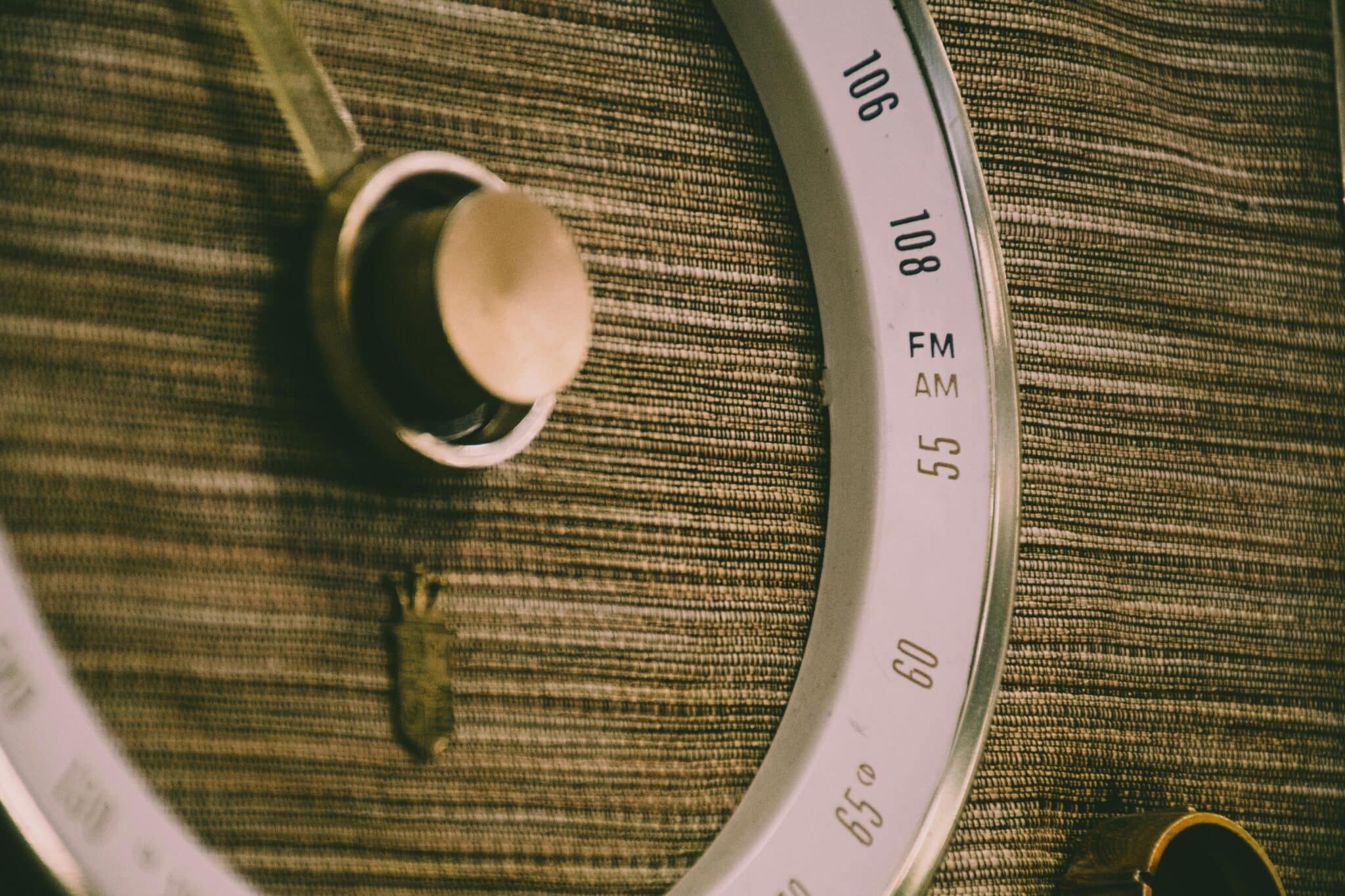
Making the Most of Your Mobile Radio Experience 🌟
Having AM/FM radio on your cell phone opens up a world of free entertainment, information, and emergency communication. Whether you’re using hardware FM capabilities or streaming apps, you can access thousands of stations covering every format imaginable—news, sports, music, talk shows, and specialized content.
Take time to explore different stations and genres. Radio offers discovery opportunities that algorithm-driven streaming services sometimes miss. Local stations connect you with your community through news, events, and local content that national services can’t replicate.
Remember to prepare for emergencies by understanding how your phone can access radio when other communication methods fail. Test your FM hardware if available, keep appropriate apps installed, and maintain a set of wired headphones as part of your emergency supplies.
Finally, respect the data implications of streaming radio and manage your consumption accordingly. With the right combination of hardware features, quality apps, and smart usage habits, your smartphone becomes a powerful and versatile radio receiver that fits in your pocket—connecting you to the airwaves wherever life takes you.
