
Anúncios
Listening to AM/FM radio on your smartphone is not only possible but surprisingly simple, combining nostalgia with modern convenience in the palm of your hand.


Remember when radio was the primary source of entertainment during commutes and road trips? That magic hasn’t disappeared—it’s simply evolved. Today’s smartphones can transform into powerful radio receivers, delivering live broadcasts from local stations and international channels alike. Whether you’re craving morning news, sports commentary, or your favorite music countdown, mobile radio apps bridge the gap between traditional broadcasting and digital streaming.
Anúncios
The beauty of mobile radio lies in its accessibility and variety. Unlike subscription-based streaming services, many radio apps offer completely free access to thousands of stations worldwide. You can discover underground indie stations from Tokyo, catch live football commentary from Madrid, or simply tune into your hometown station while traveling abroad. Let’s explore how you can unlock this world of audio content right from your smartphone. 📻
Why Listen to AM/FM Radio on Your Phone?
In an era dominated by Spotify, Apple Music, and YouTube, you might wonder why anyone would bother with traditional radio. The answer is refreshingly straightforward: radio offers something fundamentally different from on-demand streaming platforms.
Anúncios
Live radio provides real-time connection to your community and the world. When major news breaks, when your local team scores, or when emergency weather alerts go out, radio delivers information instantly. There’s also something uniquely human about sharing the same broadcast moment with thousands of other listeners—a collective experience that playlists can’t replicate.
From a practical standpoint, radio apps typically consume less mobile data than music streaming services. A standard quality stream uses approximately 64 kbps, meaning you can listen for an hour using only about 28 MB of data. Compare that to Spotify’s normal quality at 96 kbps or high quality at 160 kbps, and the savings become obvious for those watching their data plans. 💰
Understanding FM Chip Technology in Smartphones
Here’s something many smartphone users don’t know: your device might already have a built-in FM radio chip. For years, manufacturers have included FM receivers in smartphones, but they often remain disabled by software.
These FM chips work by receiving over-the-air broadcast signals, similar to traditional radios. The catch? They require wired headphones to function, as the headphone cable acts as the antenna. When activated, FM chips allow you to listen to local radio stations without using any mobile data or internet connection—perfect for emergencies or data-free listening.
Unfortunately, the trend toward removing headphone jacks has made this feature less common in newer flagship models. Apple iPhones, for instance, have never activated their FM chips for consumer use. However, many Android devices, particularly mid-range and budget models, still support native FM radio functionality. Check your phone’s specifications or look for a pre-installed FM radio app to see if your device has this capability enabled.
How to Check if Your Phone Has FM Radio
Determining whether your smartphone supports FM radio is straightforward. First, look through your app drawer for applications named “FM Radio,” “Radio,” or similar. These pre-installed apps indicate built-in chip support.
If you don’t find a native app, visit your phone manufacturer’s website and review your model’s technical specifications. Look for terms like “FM receiver,” “FM tuner,” or “analog radio.” Alternatively, websites like FCC ID database can provide detailed hardware information about your specific device model.
Even without a built-in FM chip, you’re far from out of options. Internet radio apps provide access to virtually unlimited stations, transforming any smartphone into a global radio receiver regardless of hardware limitations. ✨
Best Apps for Streaming AM/FM Radio
The app ecosystem offers numerous solutions for mobile radio listening, each with unique features and station libraries. Choosing the right one depends on your listening habits, preferred stations, and desired features.
Simple Radio stands out as a comprehensive solution, offering access to over 50,000 AM, FM, and internet radio stations from around the world. Its clean interface makes browsing by location, genre, or language effortless, while favorites and recent stations sync across devices for seamless transitions.

TuneIn Radio provides another excellent option, featuring live sports broadcasting, news stations, podcasts, and music channels. Its premium tier removes advertisements and adds features like live MLB and NFL games, though the free version satisfies most casual listeners perfectly.
For those specifically interested in local stations, iHeartRadio excels at connecting you with nearby broadcasters while also offering custom music stations based on your preferences. Radio Garden takes a unique geographical approach, letting you spin a globe and tune into stations from any location worldwide—a fantastic way to explore international broadcasts. 🌍
Comparing Free vs. Premium Radio Apps
Most radio apps operate on a freemium model, offering basic functionality at no cost while reserving advanced features for paid subscribers. Understanding these tiers helps you decide whether upgrading makes sense for your usage.
Free versions typically include occasional advertisements, either as audio spots during streaming or banner ads within the interface. Station selection remains robust, though some premium or exclusive content might be locked. Basic features like favorites, sleep timers, and alarm functions are usually available even without paying.
Premium subscriptions generally remove all advertising, provide offline recording capabilities, offer higher audio quality streams, and unlock exclusive content like on-demand shows or extended music mixes. Prices typically range from $3 to $10 monthly. For dedicated radio listeners who stream several hours daily, premium tiers often justify their cost through improved experience alone.
Setting Up Radio Apps on Your Device
Getting started with mobile radio requires just minutes of setup. First, download your chosen radio app from the Play Store or App Store using the official links from trusted sources. Once installed, open the app and complete any initial setup screens, which typically involve granting location permissions for finding local stations.
Most apps immediately present featured or nearby stations on the home screen. Browse by categories such as music genres, talk radio, news, or sports. When you find stations you enjoy, tap the favorite or heart icon to add them to your personal collection for quick access later.
Configure notification settings to balance staying informed without overwhelming your notification shade. Many radio apps can send alerts for favorite show starts or breaking news, but you might prefer limiting these to avoid constant interruptions. Adjust audio quality settings based on your data plan—lower quality streams save data while still providing clear audio for talk shows and news. 🎧
Optimizing Audio Quality and Data Usage
Finding the sweet spot between audio quality and data consumption ensures enjoyable listening without exhausting your mobile data allowance. Understanding bitrate options helps you make informed decisions based on your current situation.
Low quality streams (typically 32-64 kbps) work perfectly for talk radio, news broadcasts, and podcasts where voice clarity matters more than audio fidelity. These streams use minimal data—approximately 14-28 MB per hour—making them ideal for extended listening on limited data plans.
Medium quality (96-128 kbps) provides noticeably better sound for music stations while remaining data-efficient at roughly 43-57 MB per hour. This range suits most mobile listening scenarios, delivering good balance between quality and conservation.
High quality streams (160-320 kbps) offer near-CD quality audio but consume 72-144 MB per hour. Reserve these settings for unlimited data plans or Wi-Fi connections, particularly when listening to music-focused stations where audio quality significantly impacts enjoyment.
Discovering New Stations and Content
Beyond simply tuning into familiar stations, mobile radio apps open doors to discovering broadcasts you’d never encounter on traditional receivers. Exploration features vary by app, but most include powerful search and discovery tools.
Genre-based browsing lets you dive into specific music styles—from classical and jazz to electronic and world music. Each category typically features dozens or hundreds of specialized stations, including niche subcategories like Nordic folk, 80s synthwave, or Brazilian bossa nova.
Location-based search proves invaluable when traveling or exploring international culture. Want to hear what’s playing in Buenos Aires, Bangkok, or Berlin? Simply browse by city or country to access stations broadcasting from those locations. This feature transforms your morning routine into a global audio tour. 🗺️
Following Your Favorite Shows and Hosts
Many radio apps now integrate podcast-style features, allowing you to follow specific programs even if you can’t listen live. When your favorite show airs at inconvenient times, episode archives let you catch up on your schedule.
Set reminders for regular programs so you never miss important broadcasts. Some apps even support recording live streams, though this feature typically requires premium subscriptions. Notifications can alert you when followed shows begin, helping you tune in for must-hear content.
Social features in certain apps let you see what friends are listening to, share station recommendations, and discover trending broadcasts. These community aspects recreate the social experience of traditional radio in digital form, connecting listeners with shared interests across geographical boundaries.
Using Radio Apps While Driving
Mobile radio shines during commutes and road trips, but safe operation requires thoughtful setup before driving. Fortunately, most radio apps integrate smoothly with vehicle systems and hands-free controls.
If your car supports Android Auto or Apple CarPlay, compatible radio apps display on your vehicle’s infotainment screen with large, easy-to-read controls. Voice commands through Google Assistant or Siri let you change stations, adjust volume, or search for content without touching your phone.
Without these systems, set up your stations and playback before driving. Use phone mounts positioned within easy view but not obstructing your windshield. Bluetooth streaming to your car’s audio system provides better sound quality than phone speakers while keeping your hands free for driving. Never attempt to browse stations or adjust settings while the vehicle is moving. 🚗
Offline and Low-Connectivity Solutions
Internet radio depends on data connections, which can prove problematic in areas with poor coverage. Planning ahead ensures uninterrupted entertainment even in connectivity dead zones.
Some premium radio apps allow downloading recorded shows or podcasts for offline playback. While you can’t stream live broadcasts without internet, these downloads fill gaps during tunnels, rural highways, or flights.
Consider enabling FM chip functionality if your phone supports it. Having the ability to receive over-the-air broadcasts provides backup entertainment options without draining battery through constant searching for cellular signals.
Download music playlists or podcasts from other apps as backup entertainment. While not technically radio, having alternative audio content prevents silence during those inevitable connectivity gaps on long journeys.
Integrating Radio with Smart Home Devices
Modern radio apps extend beyond smartphones, connecting with smart speakers, displays, and home automation systems. This integration transforms how and where you enjoy radio broadcasts throughout your living space.
Google Home, Amazon Echo, and Apple HomePod devices all support various radio apps through voice commands. Simply say “Hey Google, play NPR on TuneIn” or “Alexa, open iHeartRadio and play Classic Rock 101” to start streaming. Multi-room audio lets you synchronize the same station across multiple speakers, creating whole-home radio experiences.
Routines and automations can incorporate radio playback. Set your smart display to show morning news stations when your alarm goes off, or program your smart speaker to play relaxing jazz when you say “goodnight.” These integrations weave radio seamlessly into daily rhythms without requiring manual app opening. 🏠
Troubleshooting Common Radio App Issues
Even reliable radio apps occasionally encounter technical hiccups. Understanding common problems and their solutions keeps your listening experience smooth and frustration-free.
Buffering or stuttering typically indicates network connectivity issues rather than app problems. Try switching from cellular data to Wi-Fi, or vice versa, to see if connection stability improves. Lowering stream quality in app settings reduces bandwidth requirements, often eliminating buffering on slower connections.
If stations won’t load at all, check that your internet connection is actually working by opening a web browser. Restart the app completely by closing it from your recent apps menu rather than just switching away. Clearing the app’s cache through your phone’s settings often resolves persistent loading failures.
Audio cutting out sporadically might result from battery optimization settings. Some phones aggressively limit background app activity to save power, interrupting music streaming. Add your radio app to battery optimization exceptions in your phone’s settings to prevent this interference. 🔧
Dealing with Geographical Restrictions
Some radio stations restrict streaming to specific geographical regions due to licensing agreements. When you encounter “This content is not available in your region” messages, you have limited legitimate workarounds.
The most straightforward solution involves choosing from the thousands of unrestricted stations available globally. Most radio apps contain far more accessible content than restricted broadcasts, making it easy to find alternatives.
Using VPN services can sometimes bypass geographical restrictions, though this violates terms of service for many streaming platforms and radio stations. Additionally, VPNs increase data usage and may reduce streaming quality through encryption overhead.
Contact stations directly to inquire about expanding streaming availability. As internet radio grows, many broadcasters are reconsidering restrictive policies and negotiating broader licensing agreements to reach global audiences.
Privacy and Security Considerations
Like all mobile apps, radio applications collect various data types during operation. Understanding what information is gathered and how it’s used helps you make informed decisions about app installations and permissions.
Most radio apps request location permissions to suggest nearby stations and provide relevant local content. While this enhances user experience, you can typically deny location access and manually search for stations if you prefer limiting data sharing.
Advertising-supported free versions track listening habits to serve targeted advertisements. This information typically includes stations listened to, listening duration, skip patterns, and search queries. Premium subscriptions often reduce or eliminate this tracking along with removing ads themselves.
Review privacy policies before installing apps, paying attention to data sharing with third parties. Stick with established radio apps from reputable developers available through official app stores rather than downloading from unknown sources. Enable two-factor authentication on accounts when available for additional security. 🔒
The Future of Mobile Radio Listening
Technology continues reshaping how we consume radio content, with several emerging trends poised to enhance mobile listening experiences in coming years.
Improved audio codecs like AAC+ and Opus deliver better sound quality at lower bitrates, meaning future streams will sound richer while using less data. As 5G networks expand coverage, buffering issues will diminish even in previously problematic areas, making mobile radio more reliable everywhere.
Artificial intelligence integration promises personalized station recommendations based on listening history, time of day, and current activity. Imagine your radio app automatically suggesting energetic morning shows during commutes, then switching to relaxing evening jazz as you drive home—all without manual input.
Interactive features may blur lines between traditional broadcasting and social media. Real-time listener comments, live voting on song choices, and direct host interaction could transform passive listening into active participation. Radio’s future looks bright, combining its communal heritage with digital innovation’s boundless possibilities. ✨
Making the Most of Your Mobile Radio Experience
Maximizing enjoyment from mobile radio extends beyond simply opening an app and pressing play. Thoughtful configuration and exploration unlock the medium’s full potential.
Create station collections for different contexts—morning news, workout music, evening talk shows, bedtime relaxation. Having curated presets eliminates decision fatigue and gets you to great content faster. Regularly update these collections as you discover new favorites.
Experiment with international stations to broaden your cultural horizons. Even if you don’t speak the language, music stations offer windows into different musical traditions and contemporary scenes rarely heard on domestic broadcasts. News stations with English services from international broadcasters provide fascinating alternative perspectives on global events.
Engage with station communities through social media, apps, or websites. Many broadcasters maintain active listener relationships, taking requests, answering questions, and incorporating feedback. This interaction recreates radio’s traditional community aspects in digital spaces, connecting you with fellow enthusiasts worldwide. 🌟
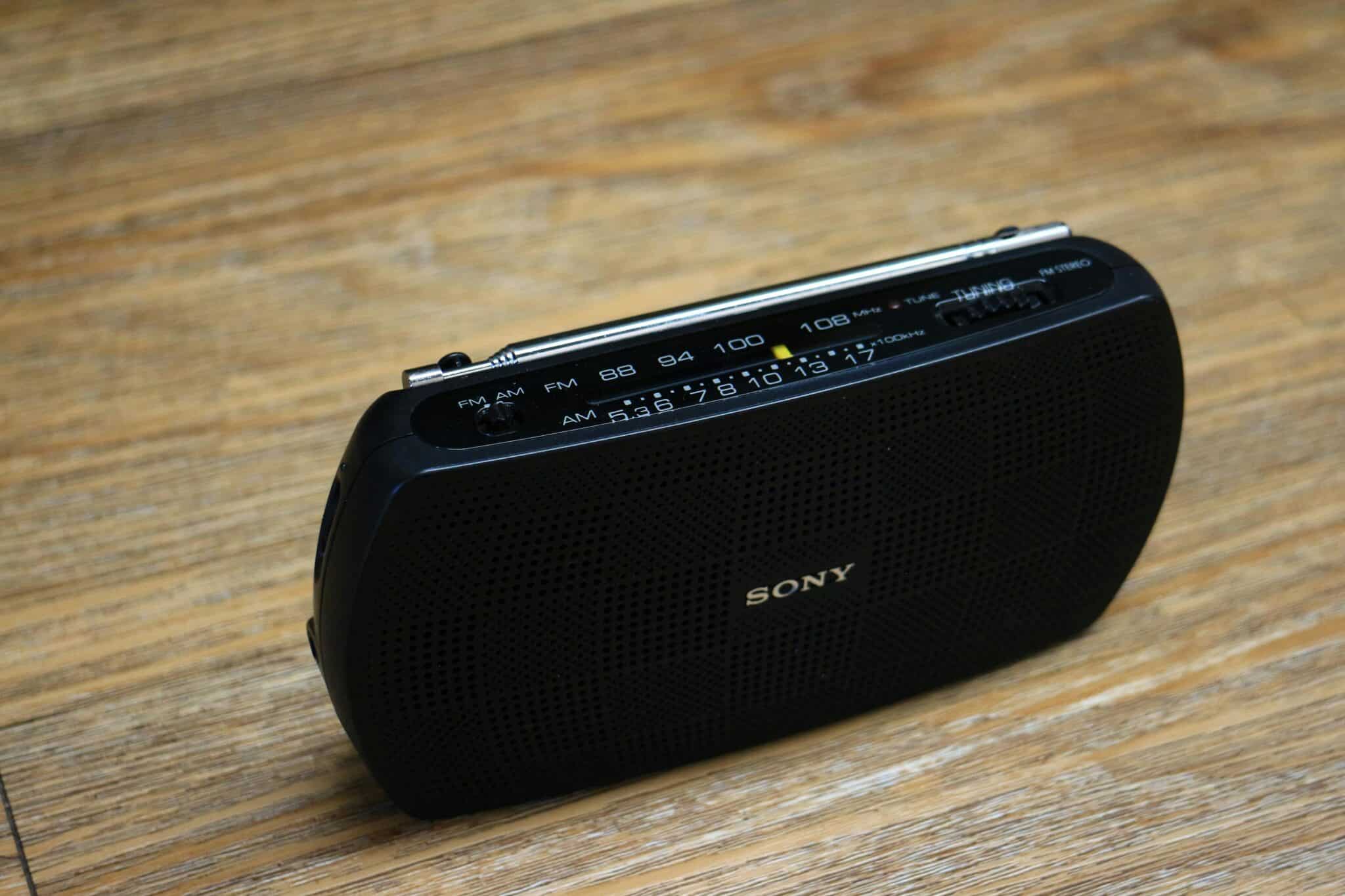
Embracing Radio in the Streaming Age
Despite competition from on-demand platforms, radio remains vibrantly relevant precisely because it offers something algorithmically-generated playlists cannot—human curation, live spontaneity, and shared communal moments.
Mobile technology hasn’t replaced radio; it’s liberated the medium from physical constraints. Your smartphone becomes a portal to thousands of voices, perspectives, and soundscapes from across the globe. Whether you’re rediscovering beloved local stations or exploring broadcasts from distant cities, mobile radio puts the world’s airwaves in your pocket.
The next time you reach for a streaming app, consider opening your favorite radio app instead. You might discover breaking news, hear an unexpected song that becomes a new favorite, or simply enjoy the comforting presence of a familiar host’s voice. That’s the magic of radio—always live, always surprising, and now, always with you wherever you go. 📻✨
