
Anúncios
Unlocking the full potential of your smartphone starts with activating 5G connectivity, giving you lightning-fast speeds, reduced latency, and seamless streaming experiences wherever you go.


The arrival of 5G technology has revolutionized mobile connectivity, offering download speeds up to 100 times faster than 4G networks. Whether you’re traveling internationally, working remotely, or simply upgrading your device, knowing how to activate and optimize 5G on your smartphone ensures you’re making the most of this cutting-edge technology.
Anúncios
From understanding network compatibility to adjusting settings across different operating systems, this comprehensive guide will walk you through everything you need to activate 5G on your mobile device, regardless of your location or carrier. Let’s dive into the world of ultra-fast mobile internet and transform how you connect online. 🚀
Understanding 5G Technology and Compatibility 📡
Before attempting to activate 5G on your device, it’s crucial to understand what 5G actually is and whether your smartphone supports this next-generation network. Fifth-generation wireless technology represents a massive leap forward in mobile connectivity, delivering significantly faster data transfer rates, lower latency, and the ability to connect more devices simultaneously.
Anúncios
Not all smartphones are 5G-capable. Most devices manufactured after 2020 include 5G compatibility, but you’ll need to verify your specific model. Check your phone’s specifications in the settings menu or on the manufacturer’s website. Popular 5G-enabled devices include the iPhone 12 and newer models, Samsung Galaxy S20 and beyond, Google Pixel 5 and later, and most flagship devices from OnePlus, Xiaomi, and other major manufacturers.
Additionally, your mobile carrier must support 5G networks in your area. Even with a 5G-capable phone, you won’t access these speeds without proper network infrastructure and a compatible data plan. Contact your carrier to confirm 5G availability in your region and whether your current plan includes 5G access.
Checking Your Device’s 5G Capabilities ✅
The first step in activating 5G is confirming that your smartphone actually supports the technology. Many users assume their relatively new phone has 5G, only to discover it’s a 4G-only model. Here’s how to verify compatibility across different platforms.
For iPhone Users
Apple introduced 5G with the iPhone 12 series in October 2020. If you own an iPhone 12, 12 Mini, 12 Pro, 12 Pro Max, or any iPhone 13, 14, or 15 models, your device supports 5G connectivity. To check your iPhone’s capabilities, navigate to Settings > Cellular > Cellular Data Options. If you see options for 5G settings, your device is compatible.
For Android Users
Android device compatibility varies widely by manufacturer and model. To check if your Android phone supports 5G, go to Settings > About Phone > SIM Status or Network. Look for information about supported network types. If you see “5G” listed among LTE, HSPA, and other network standards, you’re good to go. Alternatively, check your device specifications on the manufacturer’s official website.
Verifying Your Carrier’s 5G Coverage 🌍
Even with a 5G-capable device, you need access to a 5G network. Carrier coverage varies dramatically by location, with urban areas typically receiving priority rollout while rural regions may wait years for comprehensive 5G deployment.
Visit your mobile carrier’s website and use their coverage map tool to determine 5G availability in your area. Major carriers like Verizon, AT&T, T-Mobile (in the US), EE and Vodafone (in the UK), and similar providers worldwide have interactive maps showing 5G coverage zones. Enter your address or postal code to see detailed information about network availability.
Keep in mind that there are different types of 5G networks. Low-band 5G offers widespread coverage but speeds only marginally better than 4G. Mid-band 5G provides a balance between coverage and speed. High-band 5G (mmWave) delivers incredibly fast speeds but with very limited range and building penetration. Understanding which type of 5G is available in your location helps set realistic expectations.

How to Activate 5G on iPhone Devices 📱
Apple has made activating 5G on compatible iPhones relatively straightforward, though the company offers several options to balance speed with battery life. Here’s a step-by-step guide to enabling 5G on your iPhone.
Start by opening the Settings app on your iPhone. Tap on “Cellular” or “Mobile Data” depending on your region. Select “Cellular Data Options” and then tap on “Voice & Data.” You’ll see several options including LTE, 5G On, and 5G Auto.
The “5G On” option keeps your iPhone connected to 5G networks whenever available, maximizing speed but potentially reducing battery life. The “5G Auto” setting is Apple’s recommended option, intelligently switching between 5G and LTE based on your activity to preserve battery. When streaming video or downloading large files, your phone uses 5G, but it switches to LTE for less demanding tasks like checking email.
If you’re in an area with strong 5G coverage and want maximum performance, select “5G On.” For balanced performance and battery conservation, choose “5G Auto.” You can always change these settings based on your immediate needs.
Enabling Data Mode Options
Below the Voice & Data settings, you’ll find “Data Mode” options that further customize how your iPhone uses 5G networks. The “Allow More Data on 5G” option enables higher-quality FaceTime calls, streams higher-definition content, and allows automatic updates even when not on Wi-Fi. This maximizes your 5G experience but can consume more data.
The “Standard” mode maintains your typical data usage patterns while benefiting from 5G speeds. The “Low Data Mode” restricts background activity and automatic downloads to minimize data consumption, useful if you have a limited data plan.
Activating 5G on Android Smartphones 🤖
Android devices have varying interfaces depending on the manufacturer, but the general process for enabling 5G remains similar across most phones. Samsung, Google Pixel, OnePlus, and other Android devices follow comparable steps with slight variations in menu names.
Standard Android Activation Process
Open your device’s Settings app and navigate to “Network & Internet” or “Connections” depending on your phone’s interface. Tap on “Mobile Network” or “Mobile Networks,” then select your SIM card if you have a dual-SIM device. Look for “Preferred Network Type” or “Network Mode” and tap to open the available options.
You should see several network options including 2G, 3G, 4G/LTE, and 5G. Select the option that includes 5G, which might be labeled as “5G/LTE/3G/2G (auto connect)” or simply “5G.” Your phone will automatically connect to the fastest available network, defaulting to 5G when in coverage areas.
Samsung Galaxy Devices
Samsung devices have a slightly different path. Open Settings, tap “Connections,” then “Mobile Networks.” Select “Network Mode” and choose “5G/LTE/3G/2G (auto connect)” or the equivalent option showing 5G. Samsung’s One UI interface may also display a toggle specifically for 5G that you can simply turn on.
Google Pixel Phones
On Pixel devices running stock Android, go to Settings > Network & Internet > SIMs, select your carrier, then tap “Preferred Network Type.” Choose the option that includes 5G. Google’s clean Android interface makes this process particularly intuitive.
Troubleshooting Common 5G Activation Issues 🔧
Sometimes, even after following all the correct steps, 5G doesn’t activate or connection remains unstable. Here are common problems and their solutions.
5G Option Not Appearing in Settings
If you don’t see a 5G option in your network settings, verify that your device is actually 5G-compatible by checking the manufacturer’s specifications online. Ensure your carrier plan includes 5G access—some budget plans exclude this feature. Additionally, check that your phone’s software is up to date, as older operating system versions might not support 5G even on compatible hardware.
Device Shows 5G But Speed Remains Slow
This often indicates you’re connected to low-band 5G, which offers wider coverage but speeds comparable to good 4G LTE. Alternatively, network congestion in densely populated areas can slow even genuine 5G connections. Try moving to different locations to test speeds. Use speed test applications to measure actual performance and compare it with your carrier’s promised speeds.
Frequent Switching Between 5G and 4G
This typically occurs at the edges of 5G coverage areas where signal strength fluctuates. Your phone automatically switches to the strongest available network. While annoying, this behavior actually ensures the most stable connection. Consider switching to LTE-only mode if constant network changes disrupt your usage, particularly during important calls or video conferences.
Maximizing Your 5G Experience Worldwide 🌐
Activating 5G isn’t just about toggling a setting—it’s about optimizing your entire mobile experience. Here are strategies to get the most from your 5G connection regardless of location.
First, ensure your data plan supports the bandwidth you’ll actually use. 5G’s incredible speeds can consume data allowances rapidly. A file that took minutes to download on 4G might complete in seconds on 5G, making it easy to exceed monthly limits. Consider unlimited plans or those with generous data caps if you plan to leverage 5G regularly.
Battery consumption increases with 5G usage, particularly on “always-on” settings. When you don’t need maximum speeds, switch to auto modes or even LTE to extend battery life. Carry a portable charger if you’ll be using 5G extensively throughout the day.
Download content while connected to 5G to enjoy offline later. High-definition movies, large game files, and extensive music libraries that would take hours on 4G can download in minutes on 5G. Strategic downloading maximizes your investment in 5G technology.
International 5G Roaming Considerations ✈️
Traveling internationally with 5G requires additional considerations. Not all countries have deployed 5G networks, and roaming charges can be astronomical if you’re not careful.
Before international travel, contact your carrier about 5G roaming availability and costs. Some carriers include 5G in their international plans, while others charge premium rates. In regions where your carrier doesn’t support 5G roaming, your phone will automatically fall back to 4G or 3G networks.
Consider purchasing local SIM cards in countries with well-developed 5G infrastructure. Many nations, particularly in Asia and parts of Europe, offer affordable prepaid plans with generous 5G data allowances. This approach often provides better speeds and lower costs than international roaming.
Remember that 5G frequency bands vary by country. A phone optimized for 5G in the United States might only access certain 5G bands in Europe or Asia, potentially limiting speeds. Research specific band compatibility for your destination to set appropriate expectations.
Understanding 5G Security and Privacy 🔒
With faster speeds and lower latency comes increased responsibility for digital security. 5G networks incorporate advanced security features compared to previous generations, but user vigilance remains essential.
5G networks use enhanced encryption protocols that make interception more difficult. However, the applications and services you access ultimately determine your security. Always use VPNs when accessing sensitive information, even on 5G networks. The speed of 5G makes VPN usage more practical since the encryption overhead has minimal impact on performance.
Be cautious of fake 5G networks, particularly in public spaces. Malicious actors sometimes create spoofed networks with 5G-like names to trick users into connecting. Verify network authenticity with venue staff or rely on your carrier’s legitimate 5G service rather than open public networks claiming 5G access.
Future-Proofing Your Mobile Connectivity Strategy 🔮
As 5G networks continue expanding globally, staying ahead of connectivity trends ensures you’re always accessing the best available speeds. Network providers continuously upgrade infrastructure, expanding coverage and improving performance.
Monitor your carrier’s network expansion announcements. Providers regularly publish roadmaps showing planned 5G deployment in new areas. If 5G isn’t currently available in your location, these announcements indicate when you might expect coverage.
Consider your next device purchase carefully. As 5G becomes standard, manufacturers are integrating the technology even into budget and mid-range devices. When upgrading, prioritize 5G capability to ensure your investment remains relevant for years to come.
Stay informed about emerging 5G use cases beyond simple speed improvements. Technologies like augmented reality, cloud gaming, and real-time translation services increasingly rely on 5G’s low latency and high bandwidth. Understanding these applications helps you leverage 5G’s full potential.
Practical Tips for Daily 5G Usage 💡
Incorporating 5G into your daily routine maximizes its benefits while avoiding common pitfalls. Start by identifying which activities truly benefit from 5G speeds—streaming 4K video, video conferencing, large file transfers, and cloud-based applications see dramatic improvements.
For routine tasks like messaging, email, and web browsing, the difference between 5G and 4G is negligible. Switching to LTE-only mode during these activities conserves battery without sacrificing user experience.
Use Wi-Fi for stationary work at home or office environments. Despite 5G’s impressive speeds, a good Wi-Fi connection often provides comparable performance without consuming mobile data or draining battery through constant cellular connection management.
Regularly test your 5G speeds using dedicated apps to ensure you’re receiving the performance your carrier promises. Documentation of consistent underperformance provides leverage when negotiating with customer service or considering alternative providers.
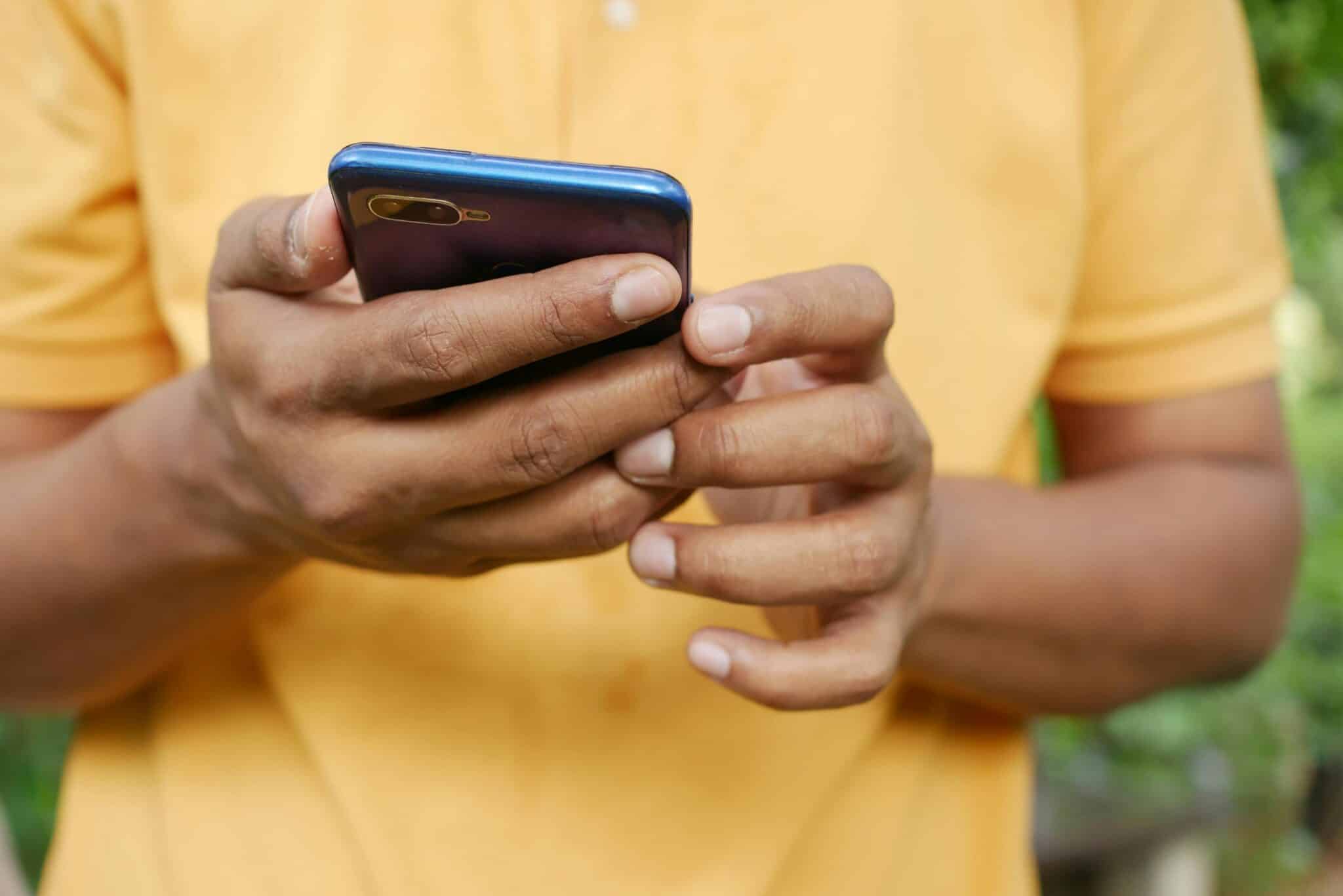
Making the Most of Your High-Speed Connection 🎯
Activating 5G on your smartphone opens a world of possibilities, from instantaneous downloads to seamless streaming and real-time cloud collaboration. By understanding your device’s capabilities, verifying carrier coverage, and properly configuring settings, you ensure optimal performance regardless of your location.
Remember that 5G technology continues evolving. Today’s impressive speeds represent just the beginning of what this technology will eventually deliver. Staying informed about network expansions, security best practices, and emerging applications positions you to fully leverage 5G as it matures.
Whether you’re activating 5G for the first time or troubleshooting existing connections, the steps outlined in this guide provide a comprehensive roadmap. The future of mobile connectivity is here—make sure your device is ready to experience it at full speed, wherever your travels take you. 🌟
